Smartphone Android - All models - printed manual
|
|
|
|
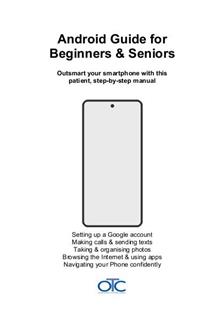
This is a comprehensive 192-page beginner's guide to your Smartphone smartphone, professionally printed and spiral-bound. Written specifically for seniors and first-time smartphone users with patient, jargon-free instructions. You receive a real printed book - not a PDF download. |
|
| Description: | Printed, spiral-bound beginner's guide to your Android smartphone. Clear, patient, jargon-free instructions perfect for seniors and first-time users. 192-page book covering modern Android phones with simple step-by-step help. First Edition. |
| Price: | $23.95 |
| Stock type: | OTC Manual for Beginners |
| Year: | 2026 |
| No. Pages: | 192 |
Complete Android Smartphone Manual for Beginners and Seniors – Your Essential Guide
Most Android manufacturers only provide a basic quick-start guide. This comprehensive manual fills that gap, written specifically for beginners and seniors who prefer learning from a clear, friendly printed book instead of searching through online help pages or watching confusing YouTube videos.
This is OTC Ltd's first original Android manual, created by experienced instructors who understand the unique challenges first-time smartphone users face. We've taken everything learned from printing and binding manuals since 1978 – and from helping over 300,000 customers in more than 110 countries – to create a patient, jargon-free introduction to your Android smartphone.
Which Android phones does this cover?
This guide covers Samsung, Motorola, Google Pixel, and OnePlus smartphones running Android 13 or later (models from 2022-2025), including:
- Samsung Galaxy: S24, S23, S22, S21 series (including Plus, Ultra, FE models); A series (A54, A34, A24, A14); Z Fold and Z Flip foldable phones
- Google Pixel: Pixel 9, 9 Pro, 9 Pro XL, 8, 8 Pro, 8a, 7, 7 Pro, 7a, Fold
- Motorola: Edge series, Moto G series (G84, G54, G24, G14), Razr foldables
- OnePlus: 12, 11, Nord series, Open foldable
You don't need to know your exact model. The book focuses on the buttons, screens, gestures, and menus that work the same way across all modern Android phones. Whether you have the latest Samsung Galaxy S24 or a Motorola from 2022, you'll find clear instructions that match what you see on your screen.
Starting from the very beginning
Many smartphone guides assume you already know the basics. This book assumes nothing. We start with the fundamentals that experienced users take for granted but can feel mysterious to beginners:
- What each button does and when to press it
- How to tap, swipe, pinch, and use other gestures
- How to unlock your phone and navigate the Home Screen
- What all those icons and symbols mean
- Understanding Wi-Fi, mobile data, and what "the cloud" actually means
- Setting up your Android phone for the first time (or starting fresh if someone else set it up for you)
Master the everyday essentials
Once you're comfortable with the basics, you'll learn all the everyday tasks that make your Android phone useful:
Calls and Messages
- Making and receiving phone calls
- Sending and reading text messages (SMS)
- Using WhatsApp for free messaging and calls worldwide
- Making video calls to stay in touch with family and friends
- Understanding message notifications and managing contacts
Photos and Camera
- Taking photos and videos with confidence
- Understanding Portrait mode, Night mode, and other camera features
- Finding your photos in the Gallery or Photos app
- Creating albums to organize your pictures
- Sharing photos via text message or WhatsApp
- Deleting unwanted photos to free up space
Internet and Browsing
- Browsing the web safely with Chrome or your phone's browser
- Searching for information and websites
- Opening links safely and avoiding suspicious websites
- Understanding the difference between Wi-Fi and mobile data
- Connecting to Wi-Fi networks at home and when out
Voice Features
- Using voice dictation instead of typing
- Sending voice notes in WhatsApp and other apps
- Speaking punctuation and commands for hands-free use
Staying safe and protected
Security is crucial, but it shouldn't be complicated. We explain Android security in plain English so you can protect yourself without feeling overwhelmed:
Your Google Account and Security
- Understanding what a Google Account is and why you need one
- Creating your Google Account with a strong, memorable password
- What to do if you forget your Google Account password
Locking and Unlocking Your Phone
- Creating a secure PIN or password (and remembering it!)
- Setting up fingerprint unlock for quick, secure access
- Setting up face unlock (available on some models)
- What to do if you forget your PIN or password
Finding and Protecting a Lost Phone
- Setting up Find My Device before something goes wrong
- How to locate your phone if it's lost in your home or left somewhere
- Locking your phone remotely and displaying a message
- What to do immediately if your phone goes missing
Avoiding Scams and Staying Safe Online
- Recognising common phone scams and fraudulent messages
- Safe habits for browsing, messaging, and shopping
- What to do if you think you've clicked something suspicious
- Protecting your personal information
Backing Up Your Precious Data
- Why backing up matters (and what happens if you don't)
- Setting up automatic Google Photos backup so your pictures are always safe
- Understanding what gets backed up and how to check it's working
- What happens when you change phones – your photos follow you automatically
Peace of mind matters. Many beginners worry "what happens if I lose my phone?" or "what if I accidentally delete something important?". This guide explains exactly how Google backup and Find My Device work together to protect you, so you can use your Android phone with confidence.
Customizing your Android phone for comfort
Your Android phone should work for you, not the other way around. We show you how to adjust settings so your phone is comfortable to use:
- Making text larger so it's easier to read
- Adjusting screen brightness for indoor and outdoor use
- Adjusting volume for calls, ringtones, and media
- Choosing ringtones and alert sounds you can actually hear
- Managing notifications so your phone doesn't constantly disturb you
- Using Do Not Disturb mode for peaceful sleep
- Understanding battery life and making it last longer
- Customizing your Home Screen with widgets and shortcuts
Designed specifically for beginners and seniors
Unlike technical manuals written for experts, this guide is designed from the ground up for people who are new to smartphones:
- Large, easy-to-read text – no squinting required
- Clear screenshots showing exactly what to expect on your screen
- Short, plain-English explanations with no jargon or technical terms
- Gentle, step-by-step progress from the basics to confident everyday use
- Plenty of white space so pages never feel cramped or overwhelming
- Spiral-bound design so the book lies flat while you follow along
- Patient tone throughout – we never assume you "should already know" something
What makes this guide different?
Manufacturers provide some basic help online, but it's scattered across dozens of support pages written in technical language. YouTube videos can be helpful, but they're hard to pause and rewind while holding your phone. And asking family members for help can feel awkward when you need to ask the same question twice.
This printed guide is always there when you need it. You can flip back to earlier chapters, mark pages with a pen, or keep it next to your favourite chair. There's no password to remember, no app to download, and no worry about your battery running out halfway through learning something new.
Who is this book for?
This guide is perfect for:
- Seniors getting their first smartphone and wanting patient, clear guidance
- Complete beginners who've never used a smartphone before
- Anyone switching from an old flip phone or basic mobile to a smartphone
- People who learn better from books than from videos or trial-and-error
- Gift-givers who want to help elderly parents or grandparents use their new smartphone confidently
- Anyone who feels overwhelmed by technology and wants a friendly, pressure-free way to learn
The comprehensive manual your phone didn't come with
If you or someone you care about has an Android smartphone but often feels unsure or overwhelmed, this book is designed to change that. By the end, everyday tasks will feel natural and manageable, and you'll know that your phone – and your precious photos – are properly protected.
192 pages. Spiral-bound. Large print. Clear screenshots. Written for real beginners.
This is the Android smartphone manual that should have come in the box.
Fair Postage
Flat-rate of just $9.95 per orderFast Delivery
Printed in 12 hours. Usually delivered in about 8 daysOur Guarantee
If you're not delighted, we'll refund you in fullExperience
Over 240,000 manuals printed since 2002Global Shipping
Reliable delivery to any countryFair Postage
Flat-rate of just $9.95 per orderFast Delivery
Printed in 12 hours. Usually delivered in about 8 daysOur Guarantee
If you're not delighted, we'll refund you in fullExperience
Over 240,000 manuals printed since 2002Global Shipping
Reliable delivery to any country


 🍎 Pay
🍎 Pay


Homepage | Site Map | FAQs | Contact Us | Shopping Cart | Cookie policy | Copyright policy | Privacy policy | Printed Manuals | About Us | Terms & Conditions
© 2026 OTC Ltd