Apple iPhone 13 Pro Max printed manual
|
|
|
|
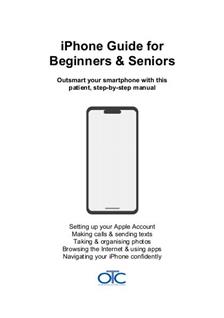
This beginner's guide is perfect for your iPhone 13 Pro Max. The Second Edition, fully updated for iOS 27: a comprehensive 197-page book, professionally printed and spiral-bound. Written specifically for seniors and first-time smartphone users with patient, jargon-free instructions. You receive a real printed book - not a PDF download. |
|
| Description: | Printed iPhone spiral-bound beginner's guide fully updated for iOS 27. Clear, patient, jargon-free step-by-step help for seniors and first-time users. 197 pages covering iPhone 11 to 18, including iPhone SE and the new iPhone Duo. Second Edition. |
| Price: | $23.95 |
| Stock type: | OTC Manual for Beginners |
| Year: | 2026 |
| No. Pages: | 197 |
iPhone Guide for Beginners & Seniors – New Edition for iOS 27
New Second Edition – fully updated for iOS 27. This is the latest version of our popular iPhone beginner's guide, revised throughout so the instructions match what you see on an iPhone running iOS 27, Apple's newest iPhone software.
Apple doesn't include a printed manual with iPhones. This comprehensive guide fills that gap, written specifically for beginners and seniors who prefer learning from a clear, friendly printed book instead of searching through online help pages or watching confusing YouTube videos.
This is one of OTC Ltd's own original manuals, created by experienced instructors who understand the unique challenges first-time smartphone users face. We've taken everything learned from printing and binding manuals since 1978 – and from helping over 300,000 customers in more than 110 countries – to create a patient, jargon-free introduction to your iPhone.
What's new in this edition?
- Updated for iOS 27 – instructions revised throughout to match the latest iPhone software
- Covers the newest iPhones – including iPhone 18 Pro, iPhone 18 Pro Max and the new folding iPhone Duo
- Still covers older iPhones – every model back to iPhone 11 can run iOS 27
- New contents list and index, and an updated glossary – find what you need quickly and look up any iPhone term
- Same patient, plain-English approach – large print, spiral-bound and written for real beginners
Which iPhones does this cover?
This guide covers all iPhones from iPhone 11 onwards running iOS 27, including:
- iPhone 18 Pro, iPhone 18 Pro Max, iPhone Duo
- iPhone 17, iPhone Air, iPhone 17 Pro, iPhone 17 Pro Max, iPhone 17e
- iPhone 16, iPhone 16 Plus, iPhone 16 Pro, iPhone 16 Pro Max, iPhone 16e
- iPhone 15, iPhone 15 Plus, iPhone 15 Pro, iPhone 15 Pro Max
- iPhone 14, iPhone 14 Plus, iPhone 14 Pro, iPhone 14 Pro Max
- iPhone 13, iPhone 13 mini, iPhone 13 Pro, iPhone 13 Pro Max
- iPhone 12, iPhone 12 mini, iPhone 12 Pro, iPhone 12 Pro Max
- iPhone 11, iPhone 11 Pro, iPhone 11 Pro Max
- iPhone SE (2nd generation and later)
You don't need to know your exact model. The book focuses on the buttons, screens, gestures, and menus that work in much the same way across modern iPhones. Whether you have the latest iPhone 18 Pro Max or an iPhone 11 from 2019, you'll find clear instructions that match what you see on your screen.
Starting from the very beginning
Many iPhone guides assume you already know the basics. This book assumes nothing. We start with the fundamentals that experienced users take for granted but can feel mysterious to beginners:
- What each button does and when to press it
- How to tap, swipe, pinch, and use other gestures
- How to unlock your phone and navigate the Home Screen
- What all those icons and symbols mean
- Understanding Wi-Fi, mobile data (called cellular data in the US), and what "the cloud" actually means
- Setting up your iPhone for the first time (or starting fresh if someone else set it up for you)
Master the everyday essentials
Once you're comfortable with the basics, you'll learn all the everyday tasks that make your iPhone useful:
Calls and Messages
- Making and receiving phone calls (including using speakerphone)
- Sending and reading text messages (SMS and iMessage)
- Understanding the difference between green and blue messages
- Adding and managing your contacts
- Using FaceTime for free video calls with family and friends
- Setting up voicemail and retrieving messages
- A full chapter on WhatsApp – ideal for keeping in touch with family and friends, including those abroad
Photos and Camera
- Taking photos and videos with confidence
- Understanding Portrait mode, Night mode, and other camera features
- Finding your photos in the Photos app
- Creating albums to keep your pictures in order
- Sharing photos via text message or email
- Deleting unwanted photos to free up space
Internet and Email
- Browsing the web with Safari
- Searching for information and websites
- Opening links safely and avoiding suspicious websites
- Setting up and using the Mail app
- Reading, composing, and replying to emails
- Attaching photos to emails
- Managing your inbox and keeping it tidy
Apps and the App Store
- Understanding what apps are and how they work
- Downloading free apps from the App Store
- Updating apps to get the latest features and security fixes
- Arranging apps on your Home Screen
- Deleting apps you no longer want
- Useful apps worth downloading, such as WhatsApp and Google Maps
Siri
- Using Siri to ask questions and get things done with your voice
- A short note on the new Siri AI features available on newer iPhones
Staying safe and protected
Security is crucial, but it shouldn't be complicated. We explain iPhone security in plain English so you can protect yourself without feeling overwhelmed:
Your Apple Account and Security
- Understanding what an Apple Account (previously called an Apple ID) is and why you need one
- Creating your Apple Account with a strong, memorable password
- Setting up two-factor authentication for extra protection
- What to do if you forget your Apple Account password
Locking and Unlocking Your Phone
- Creating a secure passcode (and remembering it!)
- Setting up Face ID to unlock with your face
- Setting up Touch ID to unlock with your fingerprint (on models that have it)
- What to do if you forget your passcode
Help in an Emergency
- Using Emergency SOS to call for help quickly
- Setting up your Medical ID so important details are available when they matter
Finding and Protecting a Lost iPhone
- Setting up Find My iPhone before something goes wrong
- How to locate your iPhone if it's lost in your home or left somewhere
- Playing a sound to help you find it
- Using Lost Mode to lock your phone and display a message
- Erasing your iPhone remotely if it's stolen
- What to do immediately if your iPhone goes missing
Backing Up Your Precious Data
- Why backing up matters (and what happens if you don't)
- Setting up automatic iCloud backup so your photos and data are always safe
- Understanding what iCloud backs up
- Checking that your backup is working properly
- Restoring from a backup if you get a new phone or something goes wrong
Peace of mind matters. Many beginners worry "what happens if I lose my phone?" or "what if I accidentally delete something important?". This guide explains exactly how iCloud backup and Find My iPhone work together to protect you, so you can use your iPhone with confidence knowing your precious photos, messages, and contacts are safe.
Making your iPhone comfortable to use
Your iPhone should work for you, not the other way around. We show you how to adjust settings so your phone is comfortable to use:
- Making text larger so it's easier to read
- Adjusting screen brightness for indoor and outdoor use
- Turning on bold text for better visibility
- Accessibility features such as Speak Screen, which reads the screen aloud to you
- Adjusting volume for calls, ringtones, and media
- Choosing ringtones and alert sounds you can actually hear
- Managing notifications so your phone doesn't constantly disturb you
- Using Do Not Disturb mode for peaceful sleep
- Understanding battery life and making it last longer
Help when things go wrong
- A troubleshooting chapter with simple fixes for common problems, such as Wi-Fi trouble and running out of storage
- A glossary of iPhone terms explained in plain English
- A full index and contents list so you can go straight to the page you need
Designed specifically for beginners and seniors
Unlike technical manuals written for experts, this guide is designed from the ground up for people who are new to smartphones:
- Large, easy-to-read text – no squinting required
- Clear, full-size screenshots showing exactly what to expect on your screen
- Short, plain-English explanations with no jargon or technical terms
- Gentle, step-by-step progress from the basics to confident everyday use
- Plenty of white space so pages never feel cramped or overwhelming
- Spiral-bound design so the book lies flat while you follow along
- Patient tone throughout – we never assume you "should already know" something
What makes this guide different?
Apple provides some basic help online, but it's scattered across dozens of support pages written in technical language. YouTube videos can be helpful, but they're hard to pause and rewind while holding your phone. And asking family members for help can feel awkward when you need to ask the same question twice.
This printed guide is always there when you need it. You can flip back to earlier chapters, mark pages with a pen, or keep it next to your armchair. There's no password to remember, no app to download, and no worry about your battery running out halfway through learning something new.
Who is this book for?
This guide is perfect for:
- Seniors getting their first iPhone and wanting patient, clear guidance
- Complete beginners who've never used a smartphone before
- Anyone switching from an old flip phone or basic mobile to an iPhone
- Anyone who has just updated to iOS 27 and wants a guide that matches their screen
- People who learn better from books than from videos or trial-and-error
- Gift-givers who want to help elderly parents or grandparents use their new iPhone confidently
- Anyone who feels overwhelmed by technology and wants a friendly, pressure-free way to learn
The manual Apple should have included
If you or someone you care about has an iPhone but often feels unsure or overwhelmed, this book is designed to change that. By the end, everyday tasks will feel natural and manageable, and you'll know that your phone – and your precious photos and messages – are properly protected.
197 pages. Spiral-bound. Large print. Clear screenshots. Second Edition, updated for iOS 27.
This is the iPhone manual that should have come in the box.
Fair Postage
Flat-rate of just $9.95 per orderFast Delivery
Printed in 12 hours. Usually delivered in about 8 daysOur Guarantee
If you're not delighted, we'll refund you in fullExperience
Over 240,000 manuals printed since 2002Global Shipping
Reliable delivery to any countryFair Postage
Flat-rate of just $9.95 per orderFast Delivery
Printed in 12 hours. Usually delivered in about 8 daysOur Guarantee
If you're not delighted, we'll refund you in fullExperience
Over 240,000 manuals printed since 2002Global Shipping
Reliable delivery to any country


 🍎 Pay
🍎 Pay


Homepage | Site Map | FAQs | Contact Us | Shopping Cart | Cookie policy | Copyright policy | Privacy policy | Printed Manuals | About Us | Terms & Conditions
© 2026 OTC Ltd